
PAYUNi Credit Card Activation Tutorial
Last updated: 10/03/2026
This tutorial helps sellers on the KOCA platform activate credit card payments through PAYUNi (President Payment Service) from scratch. Follow the steps below and your shop will be able to accept credit card payments!
1. Prerequisites
Before activating PAYUNi credit card payments, make sure you have met and completed the following:
- You are at least 18 years old and have completed identity verification in the KOCA app.
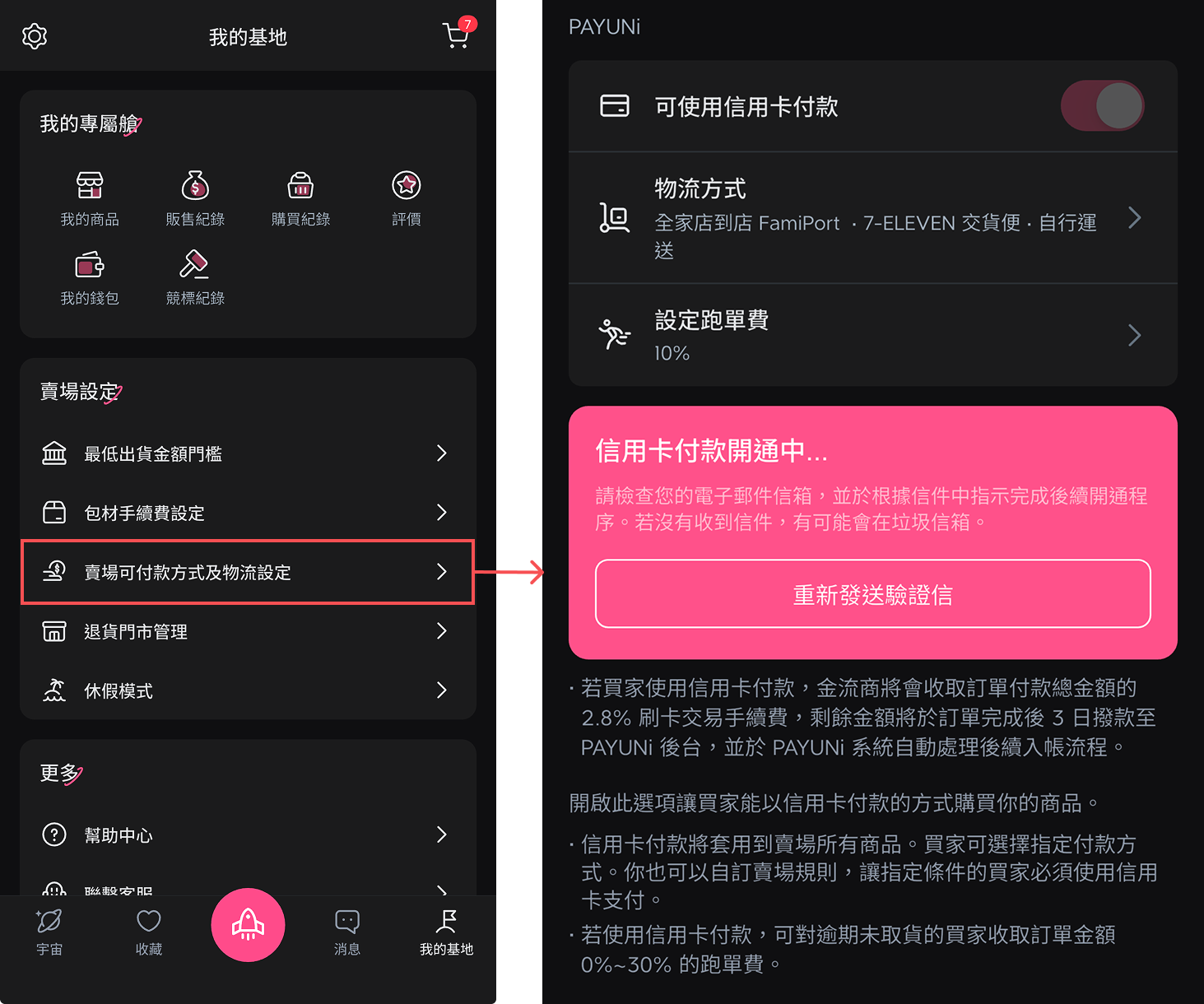
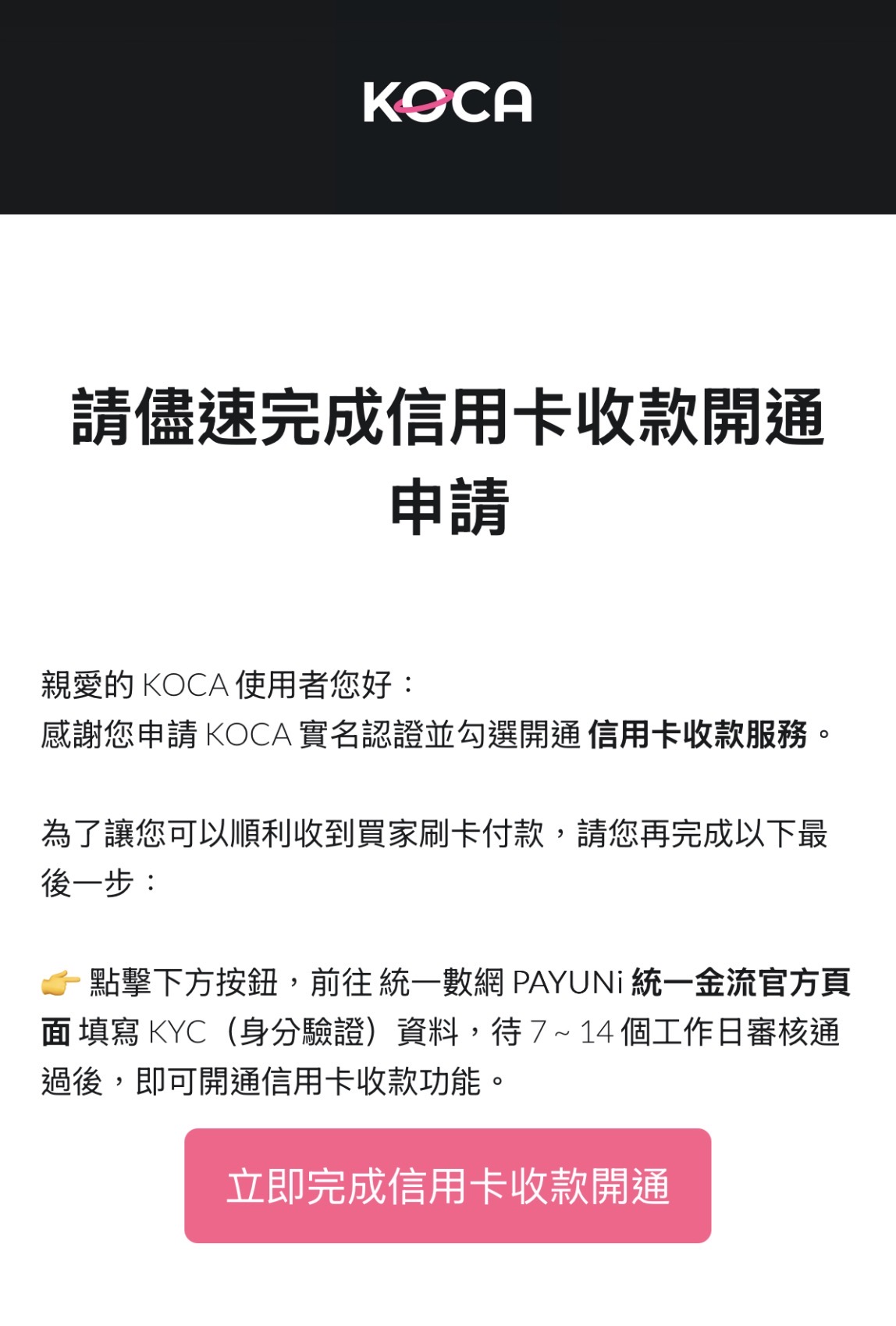
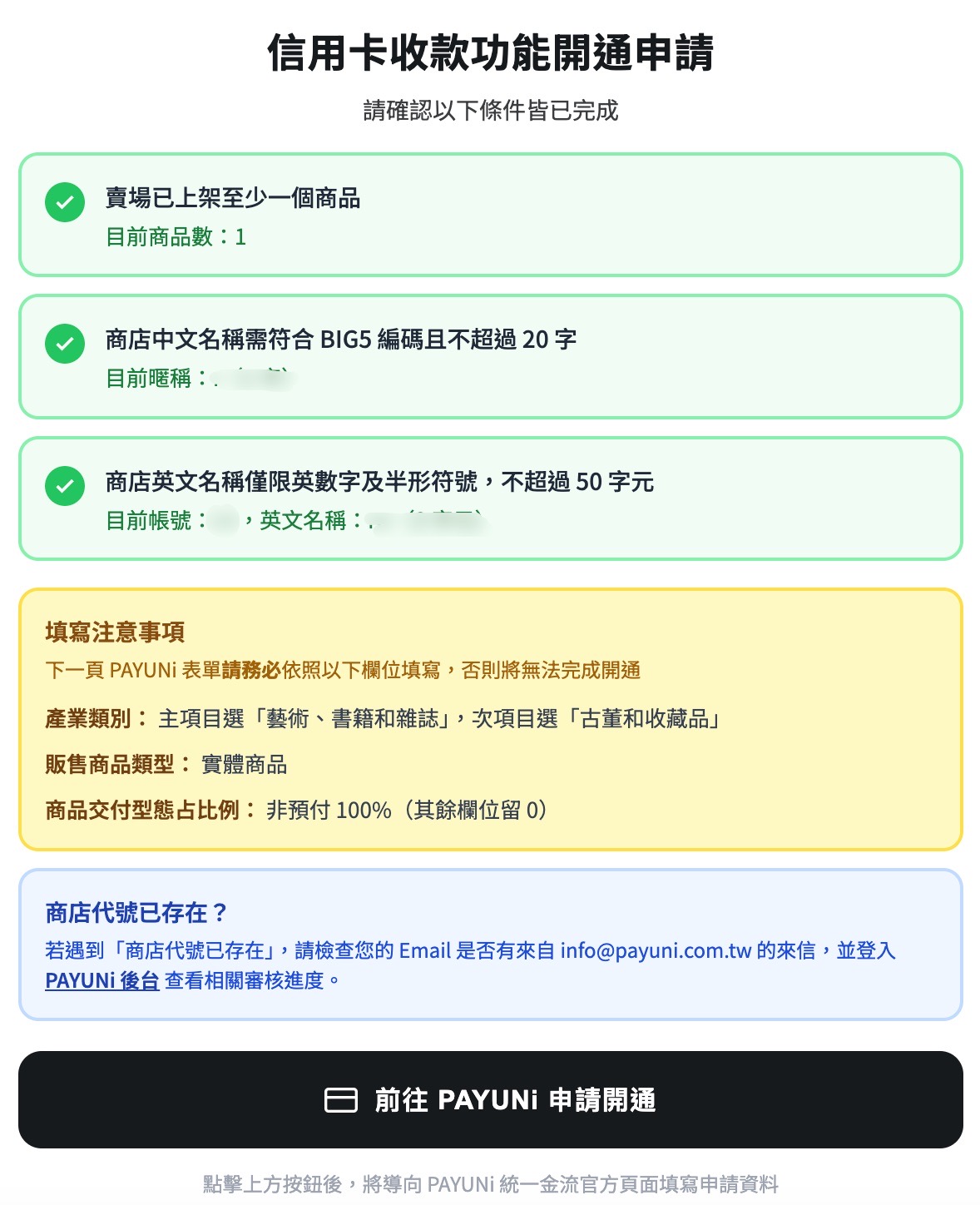
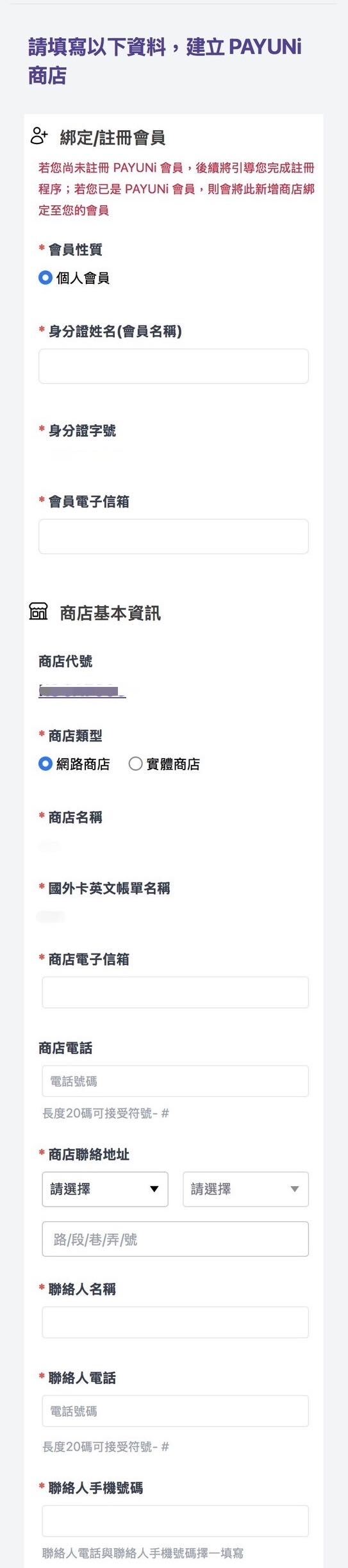
- Go to My Base ⭢ Shop payment methods and shipping settings and press Resend verification email, then click Complete credit card payment activation now in the email. You will be taken to the instructions for applying to activate credit card payments. Follow them to fill in the details and create your PAYUNi store; after submitting, go back to your inbox to complete email verification.
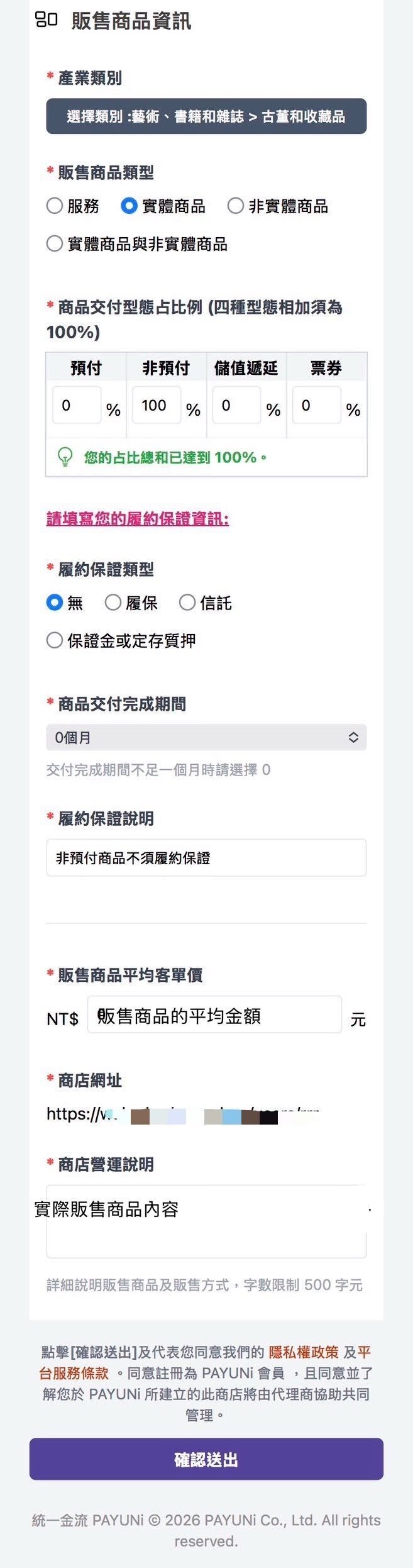
2. PAYUNi application steps
- After completing email verification, click 2. Log in to the member dashboard and complete your member information in the email. On the PAYUNi login page https://www.payuni.com.tw/login , log in as an individual member (default account / password: national ID number) and complete your member information
- You will be taken to the change password page; change your password as instructed
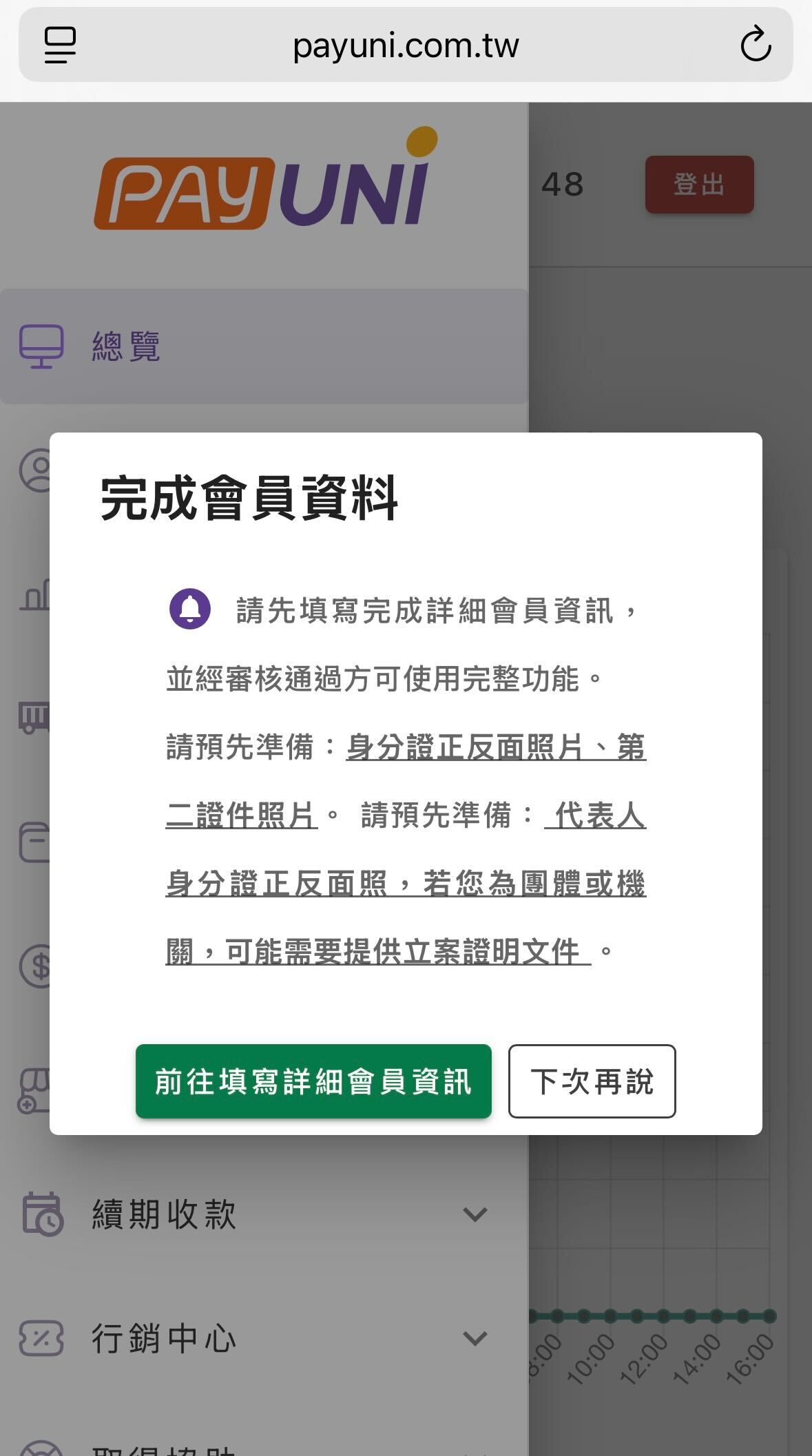
- Then, on the Complete member information page, click Go to fill in detailed member information and complete the form
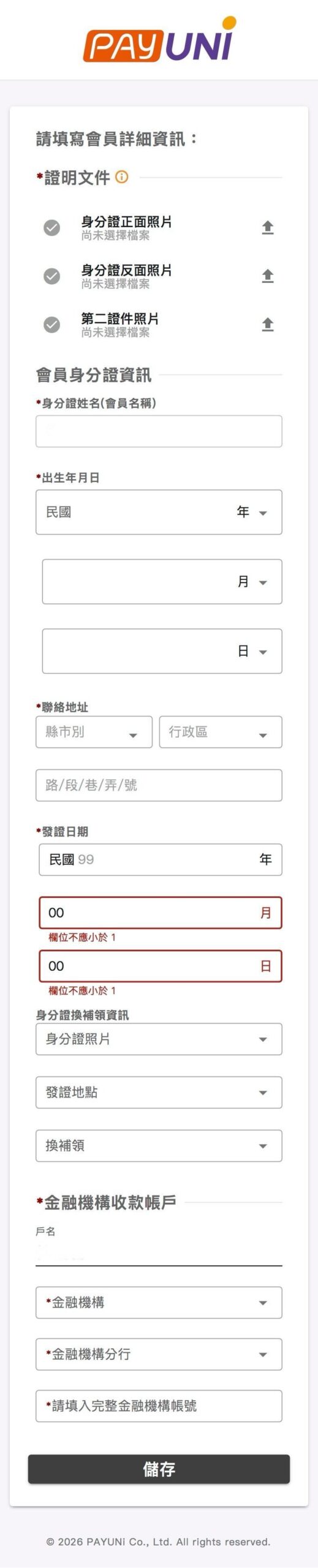
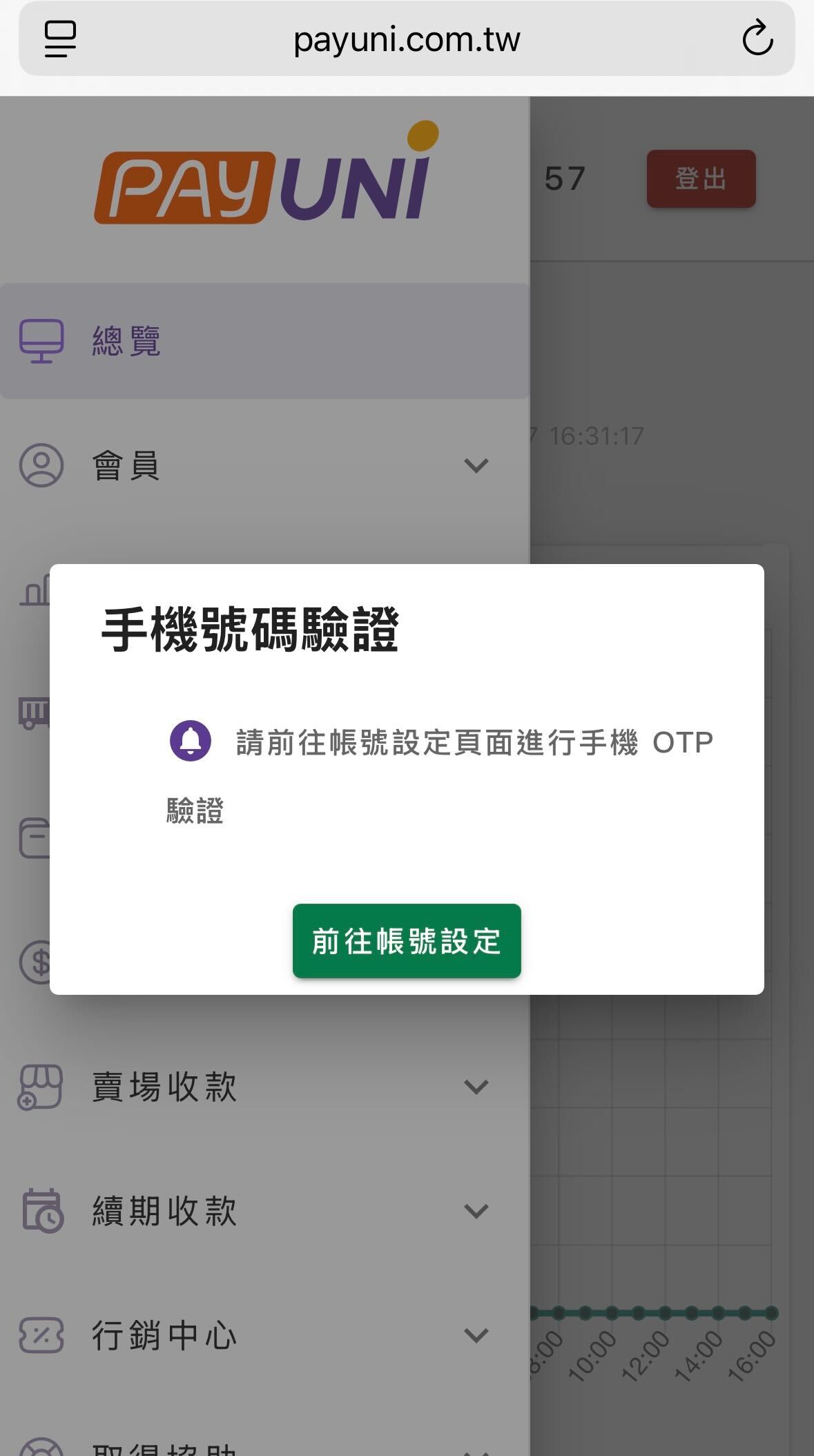
- After completing the form, continue with Phone number verification: click Go to account settings, perform mobile OTP verification, and complete the phone verification as instructed

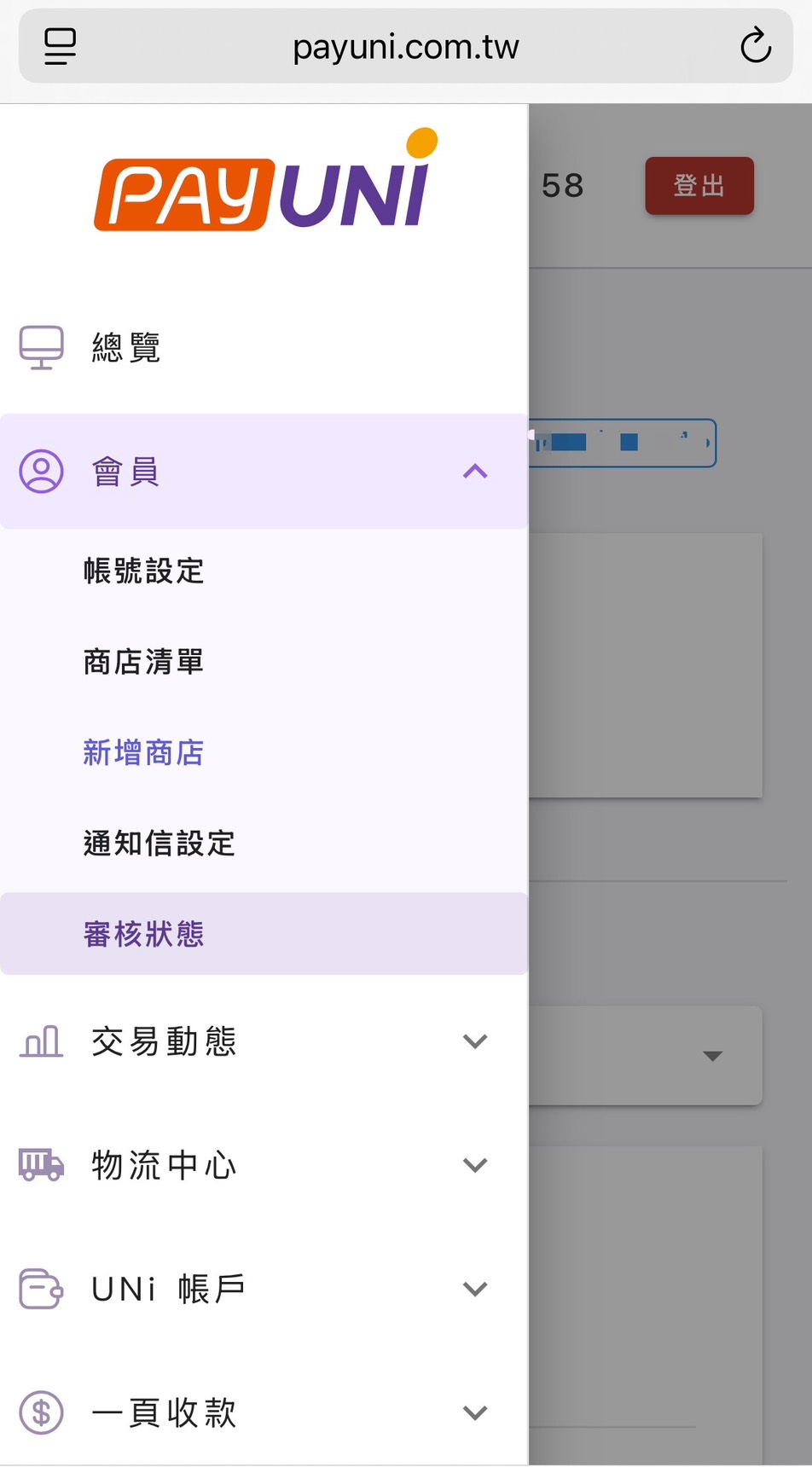
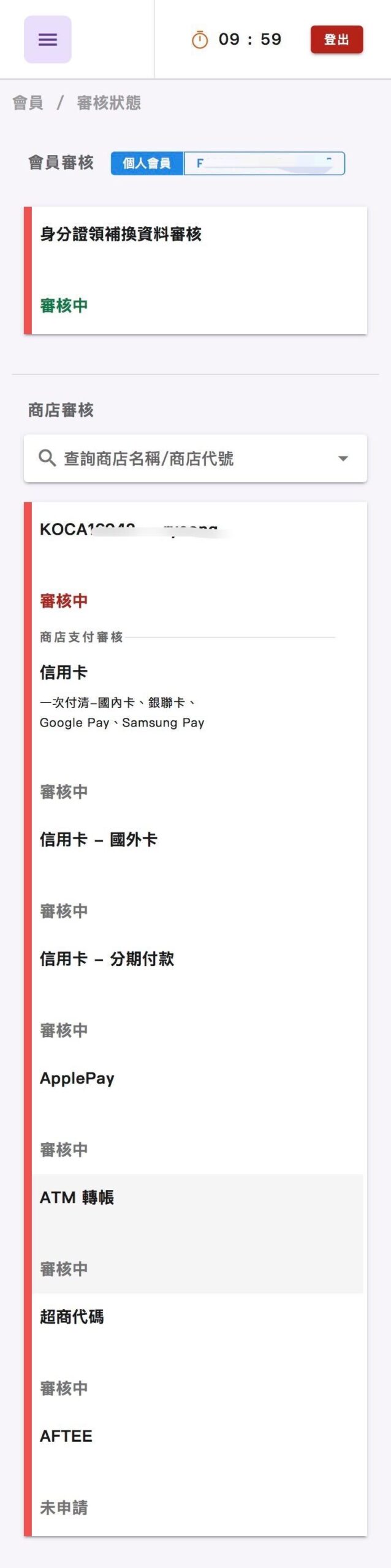
- After all of the above steps are done, "Under review" will appear, which means your application was submitted successfully. You can also check the review status under ≡ Member – Review status. PAYUNi review takes about 7–14 business days.
3. Payment processing fees
Please see Platform Service Fee and Payment Processing Fee Explained
4. FAQ (Q&A)
Q: Does PAYUNi have a help center I can check?
A: After logging in, tap ≡, scroll to the very bottom and go to Get help ⭢ FAQ, where you can see frequently asked questions.
Q: I am a minor. Can I apply for PAYUNi?
A: PAYUNi currently does not accept applications from minors. If you want to apply, you can ask an adult family member to help you create a new KOCA account and complete identity verification, and then apply with that account.
Q: Can I apply to activate PAYUNi with a residence permit?
A: PAYUNi does not currently accept applications with a residence permit.
Q: I have submitted my application, but "Store code already exists" or "Duplicate store code" appears. Did the application succeed?
A: This means your information has entered the system. Please log in to the PAYUNi dashboard as an individual member, check the "Review status" under "≡ Member", or see whether additional documents are needed.
Q: Why is the payment processing fee calculated on shipping as well?
A: Payment service providers (such as banks) provide their service on the "total card amount" or "total transfer amount" and cannot tell what proportion of a payment is shipping, so the fee is calculated on the total amount the buyer pays.
Q: If a refund happens, will the payment processing fee be refunded?
A: Under the payment provider's rules, if a partial or full refund occurs, the transaction fee is refunded. Only the payment processing fee on the final amount actually paid is charged.
Q: If a buyer does not pick up an order on time, will they get a full refund?
A: If the merch is returned because it was not picked up on time, the shipping fee and the payment processing fee on the amount actually charged for shipping will be deducted before the remainder is refunded to the buyer's credit card. (Any unclaimed fee set separately by the seller is calculated separately and is not included in the payment processing fee refunded to the card.)
Example: A buyer pays by credit card for a NT$200 listing with NT$65 shipping, for a total charge of NT$265. The buyer does not pick up the order, and is refunded 200 – 65 – (65*0.028 domestic credit card rate) = NT$133.